
IPSDK 4.2
IPSDK : Image Processing Software Development Kit
Clean Skeleton 2d
imagecleanSkeleton2dImg (inBinImg)

Detailed Description

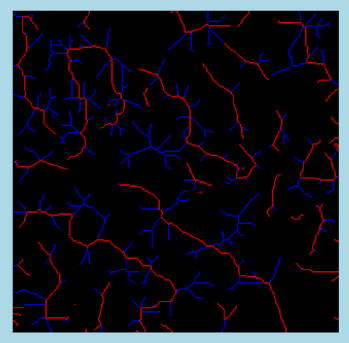
Clean the input skeleton image to keep only the longest branch.

This algorithm remove all secondary branches of a skeleton in order to keep only the longest branch.

Here is an example of result of cleaned skeleton :
cleanSkeleton2dImg.png

Example of Python code :

Example imports

import PyIPSDK
import PyIPSDK.IPSDKIPLAdvancedMorphology as advmorpho

Code Example

# opening of input image
inImg = PyIPSDK.loadTiffImageFile(inputImgPath)
# Comparison
outImg = advmorpho.cleanSkeleton2dImg(inImg)

Example of C++ code :

Example informations

Header file

#include <IPSDKIPL/IPSDKIPLAdvancedMorphology/Processor/CleanSkeleton2dImg/CleanSkeleton2dImg.h>

Code Example

// Load the input skeleton image
ImagePtr pInSkelImg = loadTiffImageFile(inputPath);
// Clean the skeleton
ImagePtr pOutImg = cleanSkeleton2dImg(pInSkelImg);