 |
IPSDK 4.2
IPSDK : Image Processing Software Development Kit
|
|
IPSDK 4.2
IPSDK : Image Processing Software Development Kit
|
| image = | houghCircles2dLabelImg (spheresPpties,inImg) |
| image = | houghCircles2dLabelImg (pISpheresPpties,inImg) |
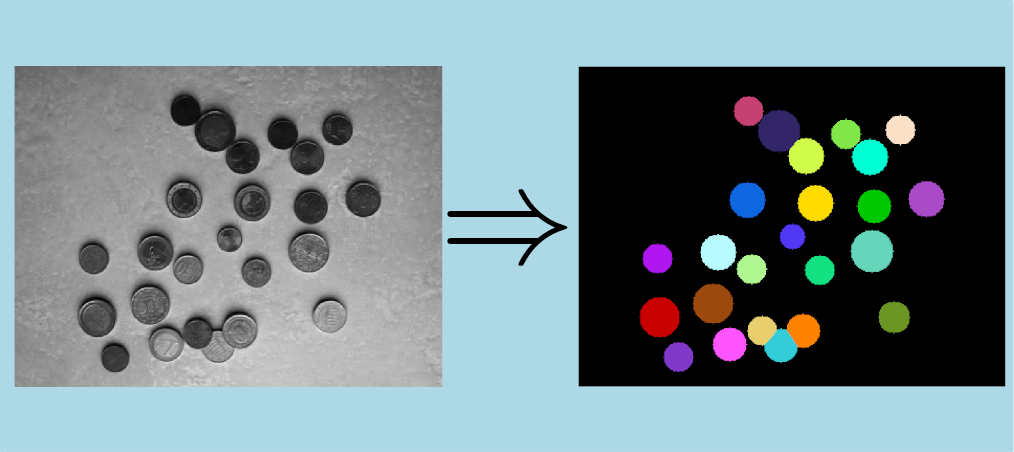
Creates a label image from 2D circles detected with te 2D Hough detection algorithm.
This algorithms creates a label image representing the circles detected by the result of Hough circles detection. In the case of automatically allocated output image, IPSDK needs to know the size of the ouput image and the image used to calculate the circles properties in Hough circles detection must also be specified.
If two circles intersect each other, the label calculated according to the interface between the two circles.
The output image pixels intensities are CircleIndex + 1 for pixels inside the circle and 0 otherwise, where CircleIndex is the circle index in the result of Hough circles detection.
Here is a slice of an image and the result of the algorithm application :
 IPSDK by Reactiv'IP